- Explore Examples: open common examples of documents and see how extraction, auditing, and formatting works.
- Upload Your Own Files: extract text, tables, and charts from PDFs and images.
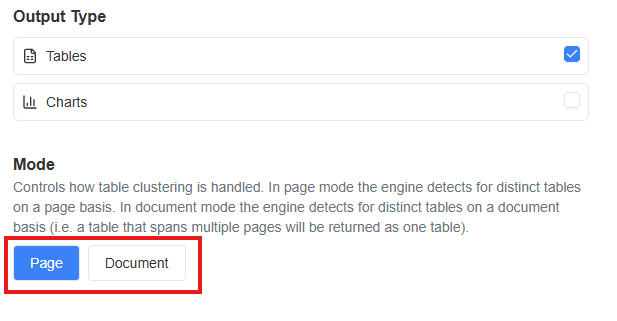
- Experiment with Different Modes: switch mode type between “page” (detects tables separately on each page) and “document” (concatenates tables that span multiple pages into one).
1. Get Started
Visit canvas.prosights.co and enter your API key.How to get an API key:
- Visit https://prism.prosights.co
- Navigate to API keys section and generate new key
2. Explore Examples (Optional)
Coming Soon…3. Upload Your Own Files
Upload a PDF or image to test our table and chart extraction. Once uploaded, click Continue and wait approximately 30–90 seconds for extraction results.
4. View Results
We give you three ways to check our accuracy: table preview, JSON, and Excel file download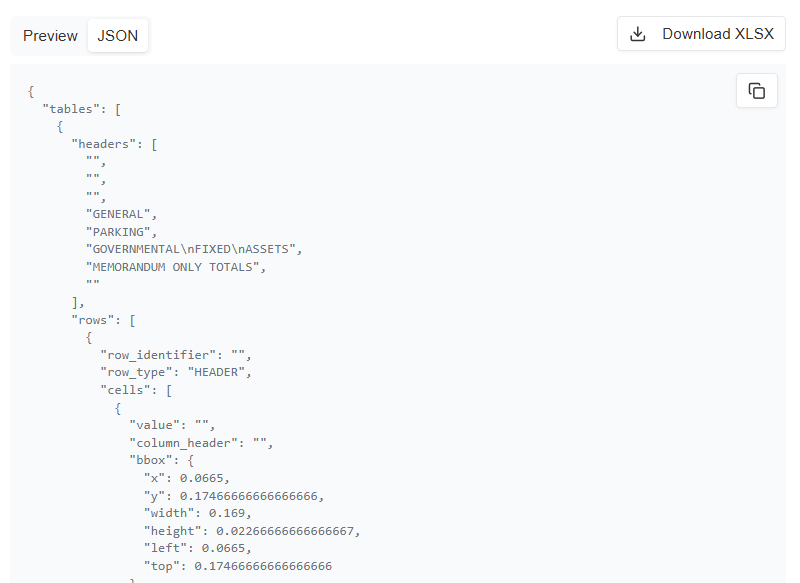
5. Experiment with Different Modes (Optional)
Switch mode type between “page” (detects tables separately on each page) and “document” (concatenates tables that span multiple pages into one).